How to Choose a Desktop 3D Printer
Choose a desktop 3D printer from the parts you actually need to make. Start with the printing process and material path, then check the required build envelope, the full working footprint, access for maintenance, and how material will be stored and loaded. A compact machine is not automatically suitable for any desk. Its body dimensions do not describe ventilation, door or frame clearance, spool space, part removal, or the local instructions you must follow. Before buying, verify every shortlisted specification in current manufacturer documentation and read the seller's current return and support terms. There is no universal best machine. The useful choice is the one whose documented capabilities fit your parts and workspace with the fewest unresolved assumptions.
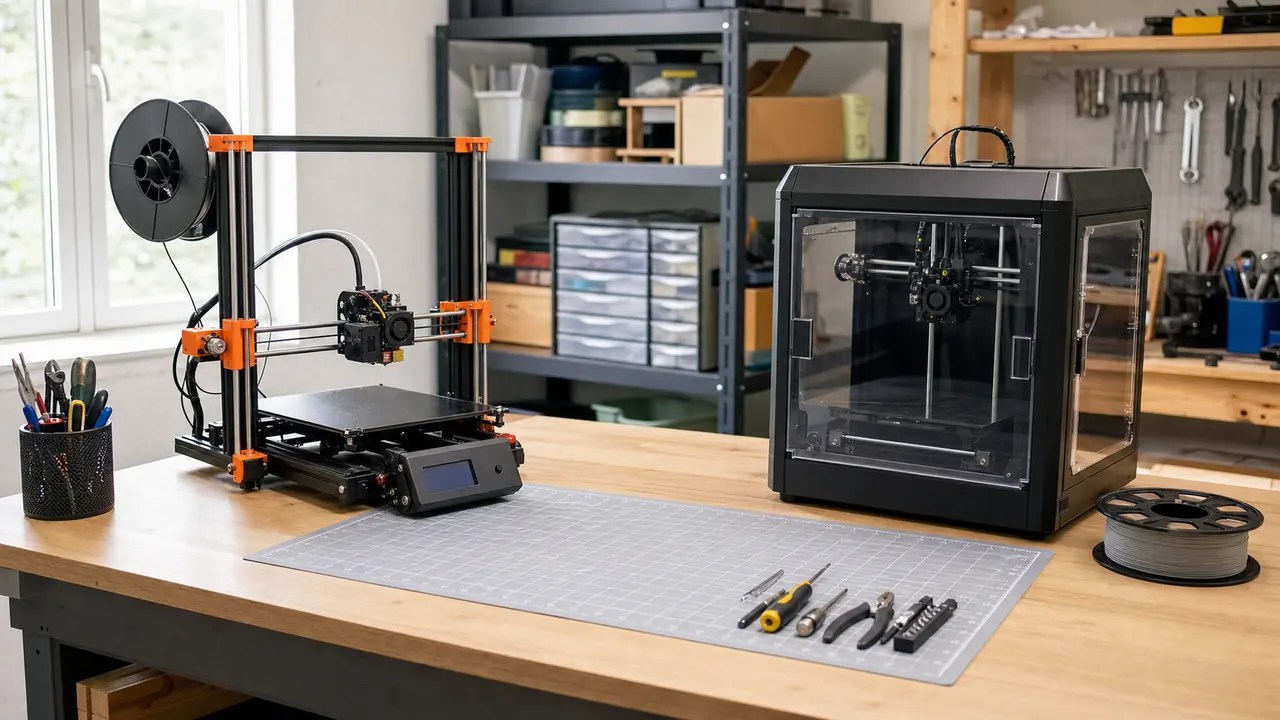
Illustration: a clean home workshop showing enclosed and open-frame desktop printers as categories, with a measurement grid and material spool, and no brand marks.
What is a desktop 3D printer?
A desktop 3D printer is a machine sized and packaged for a workbench, table, or similar personal workspace. The label describes a form factor, not a promise that the machine fits every room, part, or material.
That distinction matters. A product photo can make a printer look self-contained. In use, the working area may also need room for the material path, moving components, an opening door or lid, controls, cable routing, part removal, cleaning, and maintenance. Treat the listed machine dimensions as one line on your selection sheet, not the final answer.
The most useful starting question is not, "Which desktop printer is best?" Ask, "What must I make, from which material, in which workspace?" Write down a few representative parts. Note their bounding dimensions, the properties you need from the finished material, and anything about the shape that affects orientation or cleanup. This converts a broad shopping search into a fit check.
This article's selection sheet is editorial guidance. It cannot replace the current instructions, compatibility information, or safety information supplied for a particular printer and material.
Which printing process fits your parts?
Desktop machines are sold around different printing processes. Do not compare machines across categories until you know which workflow belongs on your shortlist. A process that does not match your intended parts or handling preferences is a poor starting point, even if the machine looks attractive in isolation.
Use this process-and-fit table as an editorial filter:
| Process category | Material path | Start here when | Resolve before shortlisting hardware |
|---|---|---|---|
| Filament extrusion | Solid filament is fed into the printer and deposited into a part | Your intended parts and materials are represented in the printer maker's current compatibility documentation | Required material support, build envelope, spool placement, loading path, part removal, and maintenance access |
| Vat photopolymerization | A part is formed from liquid resin in a vat | Your part requirements point to this process and you accept the documented material-handling workflow | Every handling step, required workspace item, cleanup step, consumable, and local instruction stated by the manufacturer |
| Another desktop process | Follow the maker's documented feedstock and workflow | A specific part requirement gives you a reason to consider it | Current documentation, material availability, full workflow, support route, and return terms |
This table does not rank output quality or promise a result. It helps you expose workflow differences before comparing specifications. If you cannot explain why a process fits your parts, keep researching the process rather than collecting product names.
For filament machines, build a material shortlist before a printer shortlist. Prusa's current Filament Material Guide presents manufacturer information organized by filament material (Prusa material guide). Use it within that narrow scope, then verify the required material and its compatibility in the shortlisted printer's current manufacturer documentation before purchase. Our guide to 3D printer filament types can help you organize that first pass.
How much build volume do you need?
Build volume is the space in which the machine forms a part. Your decision should begin with a real part envelope, not the largest number on a comparison page.
Create a simple part list. For each item, record the space it occupies in the orientation you expect to use. Then ask whether splitting the design into sections is acceptable for that project. If joining sections would defeat your reason for making the part, the required envelope changes. If splitting is acceptable, a larger machine may not solve a real need.
Keep machine dimensions and build volume in separate rows. Build volume describes the claimed forming space. Machine dimensions describe the printer body. Neither, on its own, describes the whole operating space on your table.
When checking a shortlist, use the current manufacturer page or manual for the build envelope. Record the source link and the date you checked it. Do not copy a retailer filter into your sheet and assume it applies to every configuration. If the maker describes limits that depend on material, setup, or another condition, preserve that condition in your notes rather than copying only the headline value.
Which materials must the printer support?
Material choice connects the part to the machine. Start with the property your part needs, then find a material category that the manufacturer describes for that use, and only then check printer compatibility.
Prusa's current Filament Material Guide presents information by filament material (Prusa material guide). Treat it as Prusa's manufacturer guide, not as a guarantee for every brand, formulation, printer, model, or part. If the exact wording for a property you require is not unmistakably present, do not infer it: verify the required material and compatibility in the shortlisted printer's current manufacturer documentation.
Use those sources to form questions, not to skip verification:
- Is the exact material category named in the shortlisted printer's current documentation?
- Does that documentation attach any hardware, setup, storage, or handling condition to it?
- Is the required material format compatible with the machine's documented feed path?
- Can you place and load that material within the planned workspace?
- Does the maker document any maintenance or replacement item associated with that material path?
Avoid treating a broad phrase such as "supports many materials" as evidence. Record exact material names and the page that supports each one. Also separate theoretical feedstock acceptance from documented manufacturer support. The latter gives you something concrete to check before purchase and something specific to discuss with support.
What workspace does it require?
The objection that a compact printer automatically belongs on any desk confuses physical footprint with working fit. Measure the printer body, but also map access, material handling, and current local instructions.
EPA says studies have found that the 3D printing process releases gases and particulates that could pose health risks, including volatile organic compounds and ultrafine particles (U.S. EPA 3D Printing Research). EPA also states that different filaments release different amounts of respirable particles during printing (U.S. EPA 3D Printing Research). That evidence is a reason to include emissions and the manufacturer's current instructions in the workspace decision. It is not a basis for inventing a universal ventilation prescription.
Workspace checklist
- Measure the table or bench and compare it with the printer body's documented dimensions.
- Map clearance for every door, lid, frame movement, control, and cable shown in the current manual.
- Mark where material sits, how it reaches the printer, and how you will load or change it.
- Leave the access that the current manufacturer instructions call for when removing parts or performing maintenance.
- Read the exact printer and material instructions for workspace and handling requirements.
- Include emissions in the decision because EPA says the process can release gases and particulates and emissions differ among filaments (U.S. EPA 3D Printing Research).
- Record any enclosure information as a documented feature or requirement, not an assumption based on appearance.
- Check that the completed layout still allows you to use the desk for its intended purpose.
If an enclosure is part of your plan, read our 3D printer enclosure guide. If the surface itself is undecided, use the 3D printer table guide to plan the physical layout. In both cases, return to the printer maker's current instructions before acting on general editorial guidance.
What should a beginner check?
A beginner benefits from removing ambiguity. The easiest specification sheet to understand is not necessarily the easiest ownership workflow for your situation. Follow one representative job from the file you want to make through material loading, setup, part removal, and the maintenance described by the maker. Write down every step you cannot yet explain.
Shortlisting checklist
- Define representative parts before searching for machines.
- Choose a process category from the workflow you are prepared to handle.
- Record the required part envelope and whether dividing the part is acceptable.
- Name the material categories your parts require.
- Confirm those materials in current manufacturer compatibility documentation.
- Draw the full workspace, including body dimensions, access, material position, and handling space.
- Find the current manual and support channel before buying.
- Read the seller's current return terms and note who handles a problem.
- Remove any candidate that depends on an unresolved assumption central to your intended use.
Our 3D printer guide for small-business beginners provides another starting point. Keep the same discipline: translate general advice into checks against the exact machine, material, seller, and workspace you are considering.
Which specifications matter?
The specifications that matter are the ones that can disqualify a printer for your actual job. Put them in the order your project demands.
Process and material path. The machine must use the process you selected and document support for the material category your part requires. Record attached conditions, not just a yes or no.
Usable build envelope. Compare the documented envelope with an oriented representative part. Keep any maker-stated conditions beside the value.
Whole-machine workspace. Record body dimensions separately from operational clearances, material placement, and access. A small shell does not prove a small working layout.
Material interface. Verify the required material, material format, compatibility, feed arrangement, and any relevant hardware condition in the shortlisted printer's current manufacturer documentation. Do not infer performance from a general material category or a printer arrangement.
Maintenance access. Locate the maker's maintenance documentation and map whether the relevant areas are reachable in your planned layout. Do not let a tight product-photo arrangement become your installation plan.
Documentation, support, and returns. A claim you can trace to a current manual is more useful than a claim with no clear source. Support and return evidence should identify the party responsible and the terms that apply to your purchase.
Features that do not connect to a part, material, workspace, or ownership requirement belong below these fit checks. This keeps an attractive extra from hiding a basic mismatch.
How should you compare shortlisted printers?
Use the same rows and evidence standard for every candidate. A notes column is more valuable than a single total score because it preserves conditions and unknowns.
Build a sheet with these fields:
| Decision field | What to enter | Evidence to save |
|---|---|---|
| Representative parts | Part names and required envelopes | Your drawings or measurements |
| Process fit | Why this process matches the planned workflow | Current maker process documentation |
| Material fit | Exact material categories required | Current compatibility page and relevant manual section |
| Build-envelope fit | Pass, fail, or unresolved for each representative part | Current manufacturer specification |
| Workspace fit | Body, access, material path, and handling layout | Current manual plus your workspace measurements |
| Maintenance access | Tasks you need to reach in the planned position | Current maintenance documentation |
| Support route | Who you contact and through which channel | Current manufacturer or seller support page |
| Return route | Applicable terms and responsible seller | Current seller policy |
| Unknowns | Questions that could change the decision | Written reply or updated primary documentation |
Do not average away a failed requirement. If a candidate cannot document the required material or does not fit the available working layout, a high score elsewhere does not repair that mismatch. Mark the row unresolved until you obtain primary evidence, or remove the machine from the shortlist.
Evidence-before-buying checklist
- Open the current manufacturer product page and manual rather than relying only on a search snippet.
- Save the source for the process, build envelope, machine dimensions, and exact material compatibility.
- Preserve every condition attached to a specification or compatibility statement.
- Check the document applies to the exact model and configuration being sold.
- Read current workspace, handling, and maintenance instructions for that model and material.
- Read the current support route and seller return terms.
- Ask for written clarification when a decision-critical point remains ambiguous.
- Recheck the decisive pages before ordering because your sheet is a snapshot, not a permanent product record.
What safety evidence belongs in the decision?
Keep safety evidence tied to its source wording. EPA states that studies have found 3D printing releases gases and particulates that could pose health risks to users, and it identifies volatile organic compounds and ultrafine particles among those emissions (U.S. EPA 3D Printing Research). EPA also says its researchers found that different filaments release different amounts of respirable particles during printing (U.S. EPA 3D Printing Research).
For a buying decision, preserve that EPA page alongside the exact printer and material instructions. Check what the manufacturer currently says about placement, handling, enclosures, and ventilation for the combination you are considering. Do not convert a general emissions finding into an unsupported airflow number, room rule, or claim that one physical form factor is automatically suitable.
An enclosed-looking machine and an open-frame machine are useful shopping categories, but appearance alone is not safety evidence. The evidence belongs in current source documents for the exact printer and material. When those documents do not resolve a question, label it unresolved.
FAQ
Is there one best desktop 3D printer?
No universal winner can be selected without your parts, required material path, build envelope, workspace, and evidence standard. A machine can fit one workshop and fail another because the intended parts or operating layout differ.
Does a compact printer fit on any desk?
No. Body dimensions are only the physical footprint. Your selection sheet should separately account for access, moving or opening elements, material position and loading, maintenance access, and the current local instructions. EPA's findings that the process can release gases and particulates also make emissions evidence part of the workspace decision (U.S. EPA 3D Printing Research).
Should I choose build volume before material?
Treat both as disqualifying checks. The machine needs a documented envelope for your representative parts and a documented path for the materials those parts require. Deciding from either field alone leaves a central assumption untested.
Is an enclosure automatically the right choice?
Do not infer suitability from an enclosure alone. Check why it is present, what the maker documents for the intended printer and material, how it changes access and external dimensions, and which instructions apply. Keep the answer model-specific and source-based.
Can I rely on a retailer comparison table?
Use it to discover candidates, then verify decisive claims against current manufacturer documentation. Read the seller's own return terms separately, since product compatibility evidence and purchase-remedy evidence answer different questions.
What should I do when a specification is missing?
Mark it unresolved. Look for the current manual or ask the manufacturer or seller for written clarification. Do not replace a missing decision-critical fact with an assumption copied from a related model.
The shortest useful shortlist is made from evidence, not excitement. Define the parts, select the material path, measure the complete working layout, and keep only machines whose current documentation supports those needs. Then compare support and return evidence before committing.
If the motion layout is part of your shortlist, use the CoreXY 3D printer buyer fit guide to inspect belts, access, enclosure, and seller evidence.
Written by Tileo, operator of Make At Home.