3D printer enclosure: choose by material, room, and documented limits
This guide separates four buying questions: print-space stability, emissions capture, sound, and access. Evidence for one does not establish the others. For emissions, the EPA reports NIOSH advice to use enclosures and ventilation to capture chemical emissions from 3D printing (EPA 3D-printing research page). The sources available for this guide do not establish a general fire rating or electronics temperature limit. This guide therefore uses a conservative editorial screen: pause the purchase when the relevant printer, material, enclosure, ventilation, or room guidance is missing or conflicts.
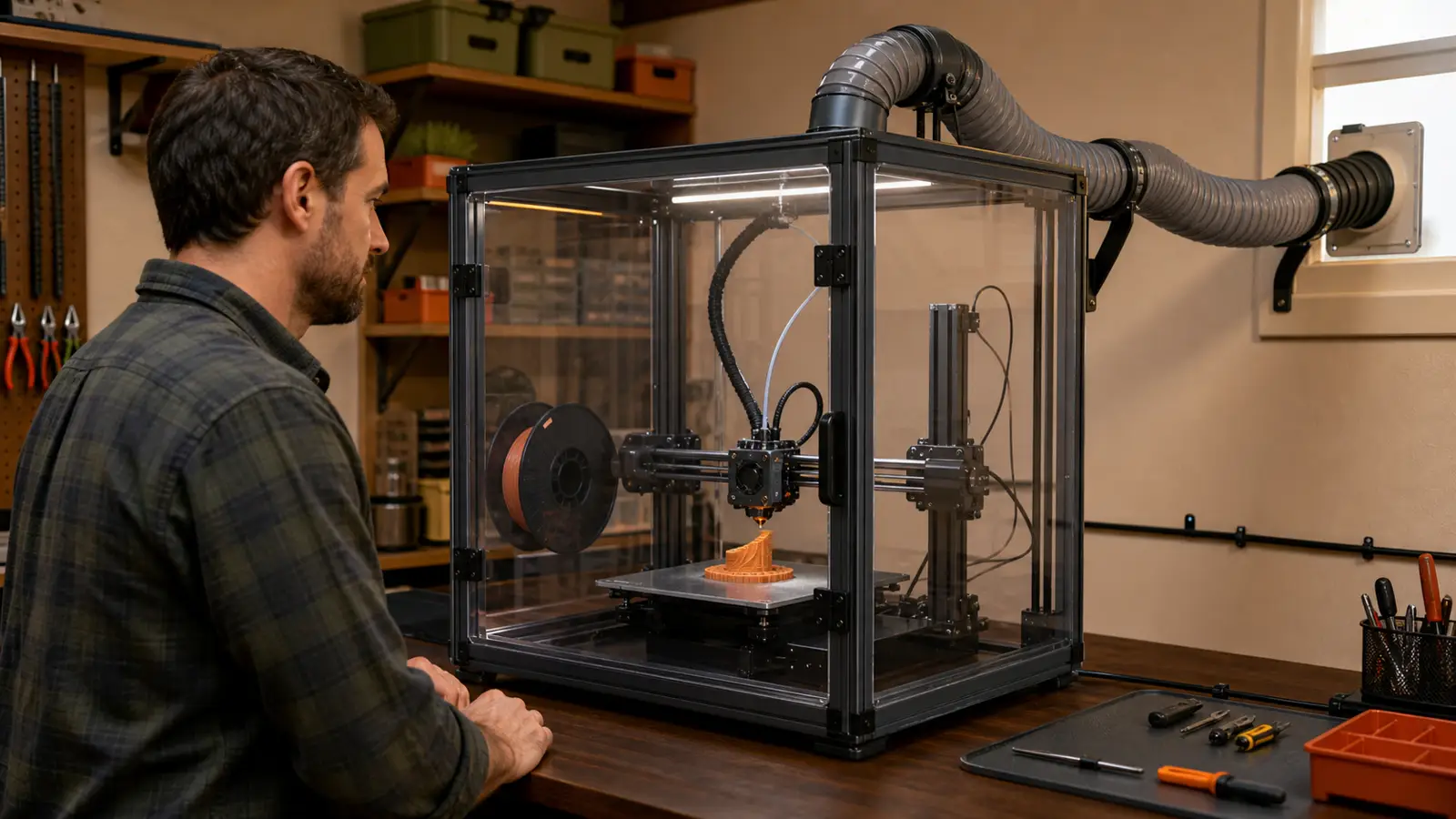
Illustrative scene, not a tested Make At Home setup. Use equipment-specific instructions rather than copying the pictured duct layout.
Are 3D printer enclosures worth it?
An enclosure is worth considering when it solves a named problem. If you cannot name the problem, pause the decision and consult the relevant equipment, material, ventilation, and room guidance.
Prusa describes its enclosure as a way to stabilize the print space and raise the ambient temperature for materials that tend to warp. Its product page names ASA, PC-CF, and PP as examples (Prusa Original Prusa Enclosure page). That claim supports a temperature-control case for the named product. It does not establish a benefit for every printer or material.
Emissions need a separate decision. The EPA reports that 3D printing releases gases and particulates, including volatile organic compounds and ultrafine particles (EPA 3D-printing research page). The same page reports NIOSH advice to use lower-emission materials, use enclosures and ventilation to capture chemical emissions, and spend less time near a running printer (EPA 3D-printing research page). A closed shell alone is not the full proposition described by that source.
Noise is also a separate claim. Elegoo says its fabric enclosure dampens printer sound on the official enclosure listing. That is a claim for that product, not a measured result from Make At Home.
A temperature feature does not prove emissions control, and a sound claim does not prove either one.
Use this first-pass test:
- Write down the exact printer model and regional version.
- Name the exact filament, not only its broad material family.
- Choose one main goal, such as temperature stability, emissions capture, noise, or access.
- Find that printer and material combination in the current maker documents.
- Reject an enclosure when its instructions conflict with the printer or material guidance.
Should a 3D printer be enclosed?
For this guide's shortlist, printer and material guidance must not conflict with the proposed enclosure. This is a conservative editorial screen, not a universal operating rule. Physical fit answers only whether the printer fits inside.
The current Prusa filament guide uses different enclosure guidance for different materials and products. Its entries include no enclosure, recommended enclosure, and necessary enclosure (Prusa Filament Material Guide). Use the entry for the exact filament on your bench. Then check whether the printer manual covers that material and enclosure combination.
The two sourced products show why fit claims must stay product-specific. Prusa lists compatible Prusa printer groups for its enclosure and says that it comes as a kit (Prusa Original Prusa Enclosure page). Elegoo lists Neptune 2, 3, and 4 series models and gives its enclosure dimensions as 550 × 650 × 750 mm on its official enclosure listing. These are manufacturer fit claims, not cross-brand support.
Worked shortlist: Prusa enclosure for a named material goal
Suppose the brief is an Original Prusa MK4/S, ASA filament, and a more stable print environment. Prusa's enclosure page names the MK4/S family as compatible and ASA as an example of a material that tends to warp. That puts the named enclosure on this guide's shortlist for that narrow goal. It does not settle room emissions: the EPA-backed check still considers enclosure and ventilation together. A different printer, filament, or goal needs a new source check.
If you are still choosing the printer, start with 3D printers for beginners or the best budget 3D printer guide. If wet filament may explain the print problem, compare a 3D printer filament dryer with the enclosure decision. An enclosure around the printer and a filament dryer are different product categories, as the existing article notes.
Compatibility questions
Ask these questions before a product reaches your shortlist:
- What does the current manual for the exact printer say about enclosure or chamber use?
- What does the exact filament guide say about its print environment?
- Does the enclosure maker list the exact printer model or document the pairing?
- What do the manuals say about vents, fans, sensors, cables, controls, doors, and access?
- Does either manual identify a condition that rules out the combination?
- If the documents are silent, can the printer maker answer for this exact pairing?
Treat missing documentation as an unanswered question, not as permission.
Which enclosure fits the material and the room?
Choose the material condition first, then apply the room boundary that matches the same goal. The table keeps heat, emissions, access, fire claims, and electronics limits from collapsing into one vague idea of safety.
| Material or room condition | Decision | Evidence to require | Boundary |
|---|---|---|---|
| The exact material guide says no enclosure | Do not shortlist an enclosure for heat control; pause if another goal applies | Exact material guide and exact printer manual | Do not assume that retained heat helps every filament. Prusa publishes different enclosure guidance by material and product (Prusa Filament Material Guide). |
| The exact material guide recommends or requires an enclosure | Shortlist only supported printer and enclosure combinations | Exact material guide, printer manual, and enclosure manual | A material instruction does not prove that any cabinet suits the printer. |
| The room needs an emissions plan | Evaluate the enclosure and ventilation together | Equipment documentation considered with the EPA guidance | The EPA reports NIOSH advice to use enclosures and ventilation to capture chemical emissions (EPA 3D-printing research page). A closed cover alone is not the full source-backed proposition. |
| The room has an access concern | Compare documented access features | Current documentation for the exact enclosure | Prusa offers an optional mechanical lock for its enclosure and describes it as a way to prevent unauthorized access (Prusa Original Prusa Enclosure page). That fact applies to the named product. |
| The purchase depends on a fire claim | Pause until the exact product documentation supplies the claim and conditions | Current printer and enclosure documentation | The packet sources do not establish a general fire rating for 3D printer enclosures. Do not transfer a claim between a fabric cover and a rigid cabinet. |
| The purchase depends on an electronics temperature limit | Pause until the exact printer manual resolves the limit | Current manual for the exact printer and its supported enclosure setup | The packet sources do not supply a general electronics temperature limit. Do not create one from a chamber-temperature claim. |
Construction type alone does not settle these boundaries. Elegoo describes its enclosure as aluminum-foil Oxford cloth on the official product page. Prusa describes its enclosure as a kit with a metal frame and transparent panels (Prusa Original Prusa Enclosure page). Those descriptions do not establish equivalent fire, emissions, temperature, or sound performance.
For resin printing, use the exact resin printer and material documents instead of treating an FDM enclosure guide as the setup manual. The existing article separates that buying path in its resin 3D printer guide.
Does a 3D printer enclosure need ventilation?
If emissions are the reason for the enclosure, evaluate ventilation and capture as part of the same decision. The EPA reports NIOSH advice to use enclosures and ventilation to capture chemical emissions from 3D printing (EPA 3D-printing research page).
That source does not show that any sealed box, filter, or fan controls emissions. This guide also does not provide an airflow target because the packet contains none. Use the instructions for the exact printer, enclosure, and ventilation equipment.
Keep the emissions review narrow:
- Identify the exact printing material before comparing equipment.
- Read the printer maker's instructions for the intended setup.
- Read the enclosure documentation for its stated air path and compatible equipment.
- If ventilation is part of the plan, require instructions for the exact ventilation equipment.
- Do not substitute a dust, odor, sound, or temperature claim for an emissions claim.
The distinction matters because the source-backed statement joins two measures. It says enclosures and ventilation, not enclosure alone (EPA 3D-printing research page).
A shell can define a space. Only the exact documentation can tell you what the equipment is designed to do with the air in that space.
Can you make your own 3D printer enclosure?
You can build an enclosure, but a DIY project does not establish support for your printer, material, or room. The Instructables enclosure project is one person's build, not approval for another setup.
Start the DIY decision with a written brief. Name the exact printer, the exact material, the room, and the one problem that the enclosure must solve. Then use the printer and material documents to test the idea.
A DIY plan needs answers to these questions:
- Does the exact printer manual discuss enclosure use for this model?
- What does the exact material guide say about the print environment?
- Which dimensions and clearances does the printer manual require for its documented setup?
- What do the equipment documents say about vents, fans, sensors, cables, controls, doors, and access?
- If emissions capture is the goal, where are both the enclosure and ventilation documented?
- If the design depends on a fire claim, which exact source states that claim and its conditions?
- If the design changes the environment around electronics, which exact printer instruction covers that setup?
Do not borrow unsupported conclusions from a finished build photo. A DIY enclosure may resemble a commercial enclosure while lacking the same materials, air path, access features, or instructions. The cited sources do not establish equivalence between those designs.
How much does it cost to build a 3D printer enclosure?
A photo tent is the only DIY alternative here with a complete sourced price range: about $15-20 (Prusa's enclosure guide). Neither source gives a complete total for a rigid DIY enclosure.
The cited rigid DIY build provides a sample bill of materials instead. Its completed build uses a furring-strip frame, MDF panels, screws, and 14 printed corner brackets (Instructables enclosure project). Price those four lines locally, including the filament and print time for the brackets, before comparing the build with a finished product. The author lists doors, lights, an air filter, and a camera mount as future upgrades rather than parts of the completed build.
Prusa gives only partial rigid-build prices: under $10 for one IKEA Lack table (Prusa's enclosure guide) and about $12 for an optional LED strip with a power supply (Prusa's enclosure guide). Do not add those components into a supposed full total. The same guide says Prusa once targeted $90 for a mostly plexiglass enclosure (Prusa's enclosure guide), but packing, shipping, and material costs made that target unworkable.
After pricing the four-line local bill of materials, compare it with finished products. Elegoo's US listing displayed its finished fabric enclosure at $39.99 on 4 September 2026 (Elegoo US listing). Use that price as a buy-versus-build checkpoint, not as a DIY estimate. A low subtotal still does not establish printer fit or emissions performance.
What is a good budget 3D printer enclosure?
Among the two products sourced here, Elegoo is the budget option for one of its listed compatible Neptune printers. The Elegoo US page displayed $39.99 on 4 September 2026. The Prusa page displayed €369 for its rigid kit. These prices use different currencies and regions, so they are checkpoints rather than a direct total-cost ranking.
| Product | Maker-listed fit | Construction and size | Displayed price |
|---|---|---|---|
| Elegoo 3D Printer Enclosure | Neptune 2, 3, and 4 series models named on the page | Aluminum-foil Oxford cloth; 550 × 650 × 750 mm | $39.99 USD |
| Original Prusa Enclosure | Compatible Prusa groups named on the page | Metal frame and transparent panels; kit | €369 |
Neither price proves emissions capture, fire performance, electronics conditions, or a measured sound result. The Elegoo option is a concrete budget answer only for the compatible models it names and only after the buyer's separate material and room checks.
Before you buy, check the surface below the printer with the 3D printer table guide. For a motion-layout-specific check, use the CoreXY 3D printer buyer fit guide. These links preserve the workspace and fit checks from the existing article.
What should you check before every print?
Use the current printer, material, enclosure, and ventilation manuals as the operating source for the exact combination. The questions below organize that document check. They do not add operating instructions.
- Do the printer, filament, and enclosure documents cover this exact combination?
- What assembly and positioning directions appear in the enclosure manual?
- What conditions does the printer manual identify for enclosure or chamber use?
- What does the enclosure manual say about its documented features and installation?
- If ventilation is part of the emissions plan, which instructions come with that exact equipment?
- What inspection or replacement questions does the enclosure manual answer?
- What does the printer manual say about controls and operation in the documented setup?
- After any change to the printer, material, enclosure, or ventilation equipment, do the same documents still cover the combination?
The best selection is not the enclosure with the longest feature list. It is the supported setup whose documents answer the material and room questions without asking one feature to stand in for another.
Ready to turn the material, fit, and room checks into a shortlist? Run the picker.
Written by Tileo, operator of Make At Home.