3D printer filament types: pick by part, then by printer
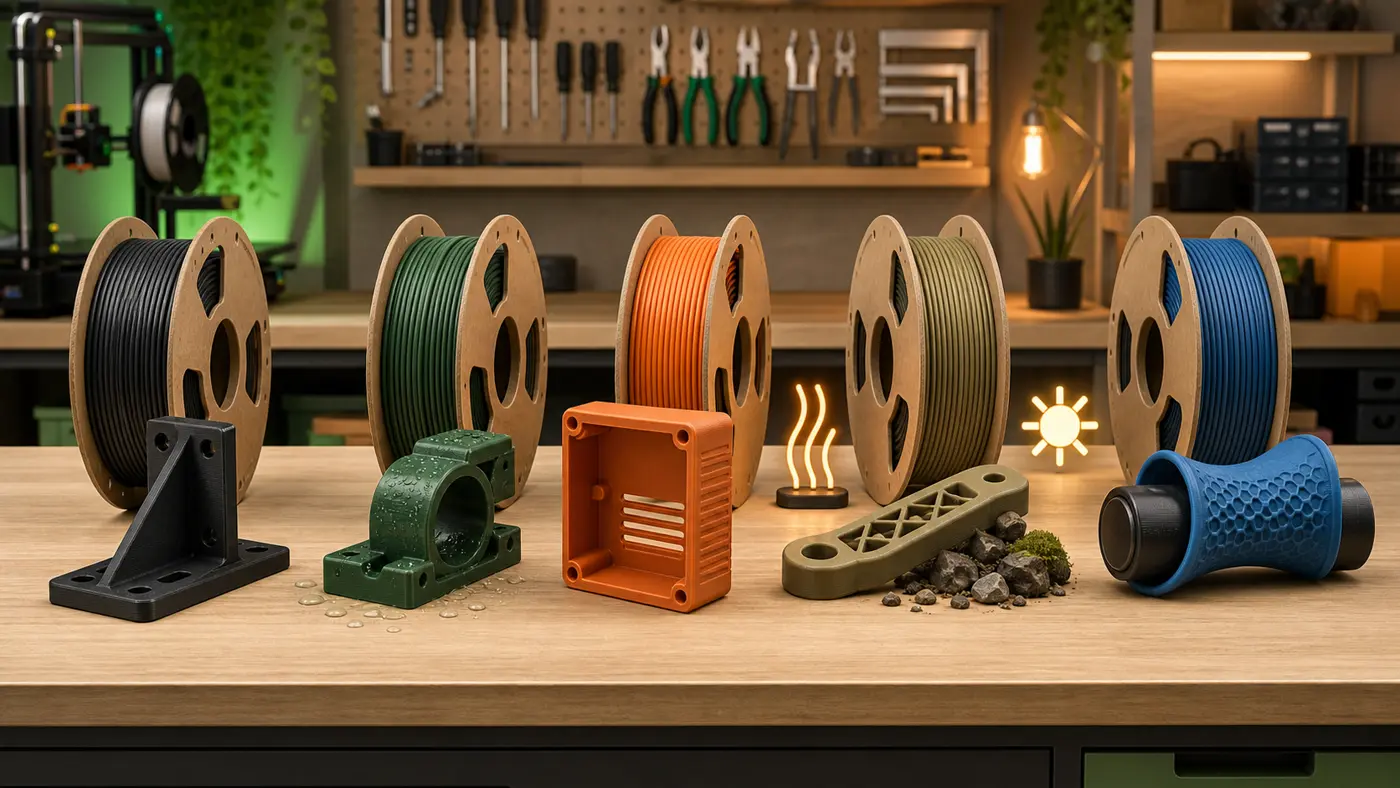
There is no single best choice among 3D printer filament types. Start with the part and compare PLA, PETG, ABS, ASA, and Flex against the material properties and printer requirements in the Prusa Filament Material Guide. PLA is the straightforward starting boundary; PETG is the cautious next comparison for tougher indoor work or chemical resistance. Treat ABS, ASA, and flexible filament as requirement-led choices, not automatic upgrades.
Which filament should a beginner start with?
Start the comparison with PLA. Prusa’s table rates it easy to print, with low warping, and does not mark it as needing an enclosure or hardened nozzle; the same table also shows its low heat resistance, so keep this recommendation inside a cool-indoor boundary (Prusa Filament Material Guide).
If you are choosing a first machine for a small business, see the small-business beginner buying guide.
Checklist: beginner first spool
- Compare enclosure, drybox, and hardened-nozzle flags for the material directly in the Prusa Filament Material Guide.
When should you choose PETG over PLA?
Choose PLA for the easier start and cool indoor parts. Compare PETG when toughness, temperature resistance, or chemical resistance matters more. Those are relative table entries, not a guarantee for a finished part; Prusa does not mark standard PETG as requiring an enclosure, drybox, or hardened nozzle (Prusa Filament Material Guide).
PETG is not “better in every way”: Prusa rates PLA easier to print and gives the two materials different property profiles (Prusa Filament Material Guide).
When is ABS relevant?
ABS is a requirement-led comparison where higher temperature resistance or toughness matters. Prusa rates it harder to print, with high warping, and recommends an enclosure (Prusa Filament Material Guide). For enclosure options and fit, see 3D printer enclosure.
When is ASA relevant?
ASA is the outdoor-leaning comparison because Prusa rates its UV resistance high; the same table rates it harder to print, with high warping, and recommends an enclosure (Prusa Filament Material Guide). See 3D printer enclosure when comparing equipment fit.
What is TPU for?
TPU belongs in the flexible-material comparison when flexibility is the design requirement. Prusa groups these materials under “Flex,” rates them hard to print, and does not mark that row as needing an enclosure or hardened nozzle (Prusa Filament Material Guide).
Which filaments need special hardware or handling?
Not every spool is drop-in on a basic open printer. Prusa’s table assigns different enclosure, drybox, and nozzle requirements by material (Prusa Filament Material Guide). Confirm those flags against your machine.
Enclosure-recommended families (Prusa table): ABS, ASA, polycarbonate (PC), and PA (nylon) are marked with enclosure recommended on Prusa’s current material table (Prusa Filament Material Guide).
Drybox-marked families (Prusa table): CPE and PA (nylon) are marked for drybox use; other rows contain different flags (Prusa Filament Material Guide).
Hardened nozzle (Prusa table): composite and glow-in-the-dark rows are marked as needing a hardened nozzle (Prusa Filament Material Guide).
How do you compare strength, heat, flexibility and print difficulty?
Compare the separate printability, temperature, toughness, flexibility, chemical-resistance, and UV-resistance columns; Prusa does not collapse them into one universal score (Prusa Filament Material Guide).
Editorial comparison for home makers (source synthesis, not in-house tests):
| Filament | Typical home use case | Main tradeoff | Printer / enclosure check | Source |
|---|---|---|---|---|
| PLA | Cool indoor starter parts | Low temperature resistance | No enclosure or hardened-nozzle flag | Prusa |
| PETG | Tougher indoor or chemical-exposure comparison | Less easy to print than PLA | No enclosure, drybox, or hardened-nozzle flag | Prusa |
| ABS | Higher-temperature or toughness comparison | Hard to print; high warping | Enclosure recommended | Prusa |
| ASA | Outdoor UV comparison | Hard to print; high warping | Enclosure recommended | Prusa |
| TPU (Flex) | Flexible-part comparison | Hard to print | No enclosure or hardened-nozzle flag | Prusa |
What safety checks belong before printing?
Treat emissions as a real shop factor, not a side note. The U.S. Environmental Protection Agency states that studies have found the 3D printing process releases gases and particles which could pose health risks to users (EPA 3D Printing Research). EPA explains that these emissions include volatile organic compounds (VOCs). Some of those are hazardous to human health when inhaled. 3D printers can also release ultrafine particles (1-100 nm) small enough to settle deeper in the lungs (EPA 3D Printing Research). EPA researchers report that different filaments release different amounts of respirable particles during printing (EPA 3D Printing Research).
EPA summarizes NIOSH protective practices: choose lower-emission materials, use enclosures and ventilation to capture chemical emissions, and reduce time spent near a running printer (EPA 3D Printing Research). This article adds no uncited supervision, airflow-design, local-rule, manual, or safety-data-sheet directive.
Checklist: before you start a print
- Place the printer where you can limit time spent next to a running job, consistent with the NIOSH points summarized by EPA (EPA 3D Printing Research).
- For ABS, ASA, and other enclosure-recommended materials, plan enclosure use (Prusa Filament Material Guide; enclosure and ventilation points via EPA).
- Compare the material’s drybox and hardened-nozzle flags before purchase (Prusa Filament Material Guide).
- Scope refusal: this guide does not certify food-contact, medical, child-product, structural-load, or fire-critical use; the linked Prusa and EPA pages do not qualify a finished object for those uses (Prusa; EPA).
FAQ
Is there one filament that works for every project?
No. Prusa’s table shows different properties and equipment flags by material, so it does not support a universal winner (Prusa Filament Material Guide).
Should beginners buy ABS to “learn the real materials”?
No. Prusa rates PLA easy to print and ABS hard to print with high warping, and recommends an enclosure for ABS (Prusa Filament Material Guide).
Is PETG always better than PLA?
No. Prusa rates PLA easier to print, while PETG has a different toughness, temperature, and chemical-resistance profile (Prusa Filament Material Guide).
Should I buy PLA or PLA+?
The label alone is not enough. The Prusa table does not establish one universal PLA+ performance specification (Prusa Filament Material Guide).
Is it safe to drink from a 3D-printed PLA cup?
This guide cannot certify a printed cup for food or drink contact. The linked sources cover material comparison, printer requirements, and airborne emissions—not qualification of a finished cup (Prusa; EPA). The PLA label is not certification.
Do I need an enclosure for every filament?
No. Prusa’s table marks enclosure as recommended for materials such as ABS, ASA, PC, and PA. It does not mark enclosure for PLA, PETG, or Flex (Prusa Filament Material Guide). EPA/NIOSH guidance still discusses enclosures and ventilation as protective measures for users in general (EPA 3D Printing Research).
Why do people dry filament?
Prusa marks drybox use for materials including PA and CPE; its rows vary by material (Prusa Filament Material Guide).
Where do nozzle and bed temperatures come from?
This comparison article supplies no nozzle or bed temperatures.
Are emissions the same for every filament?
No. EPA states that different filaments release different amounts of respirable particles during printing. Printing can release VOCs and ultrafine particles (EPA 3D Printing Research).
Closing decision path
- Planning prompt—not a performance claim: name the intended environment and required behavior.
- Compare the family’s property columns in the Prusa Filament Material Guide.
- Check enclosure, drybox, and hardened-nozzle flags in the Prusa Filament Material Guide.
- Apply the EPA-cited emission points: lower-emission materials, enclosure and ventilation to capture chemical emissions, and less time next to a running printer (EPA 3D Printing Research).
When you want curated starter gear rather than a full materials map, See the tested picks.
Before you compare filament families, use our desktop 3D printer selection guide to check process, material path, and workspace fit.
Written by Tileo, operator of Make At Home.