3D Printer Accessories: What to Buy First
Buy 3D printer accessories in this order: an exact-model spare for a part that can stop a job, material-required hardware, then a bench tool that solves a named workflow problem. Use the printer manual and the official compatibility listing for plates, nozzles, hotends, and maintenance tools. Bambu Lab's EU store filters accessories by printer model (accessories collection). Prusa's material guide flags when a material calls for a hardened nozzle, dry box, or enclosure (Filament Material Guide). If you cannot name the failure an item prevents or the task it unlocks, leave it out.
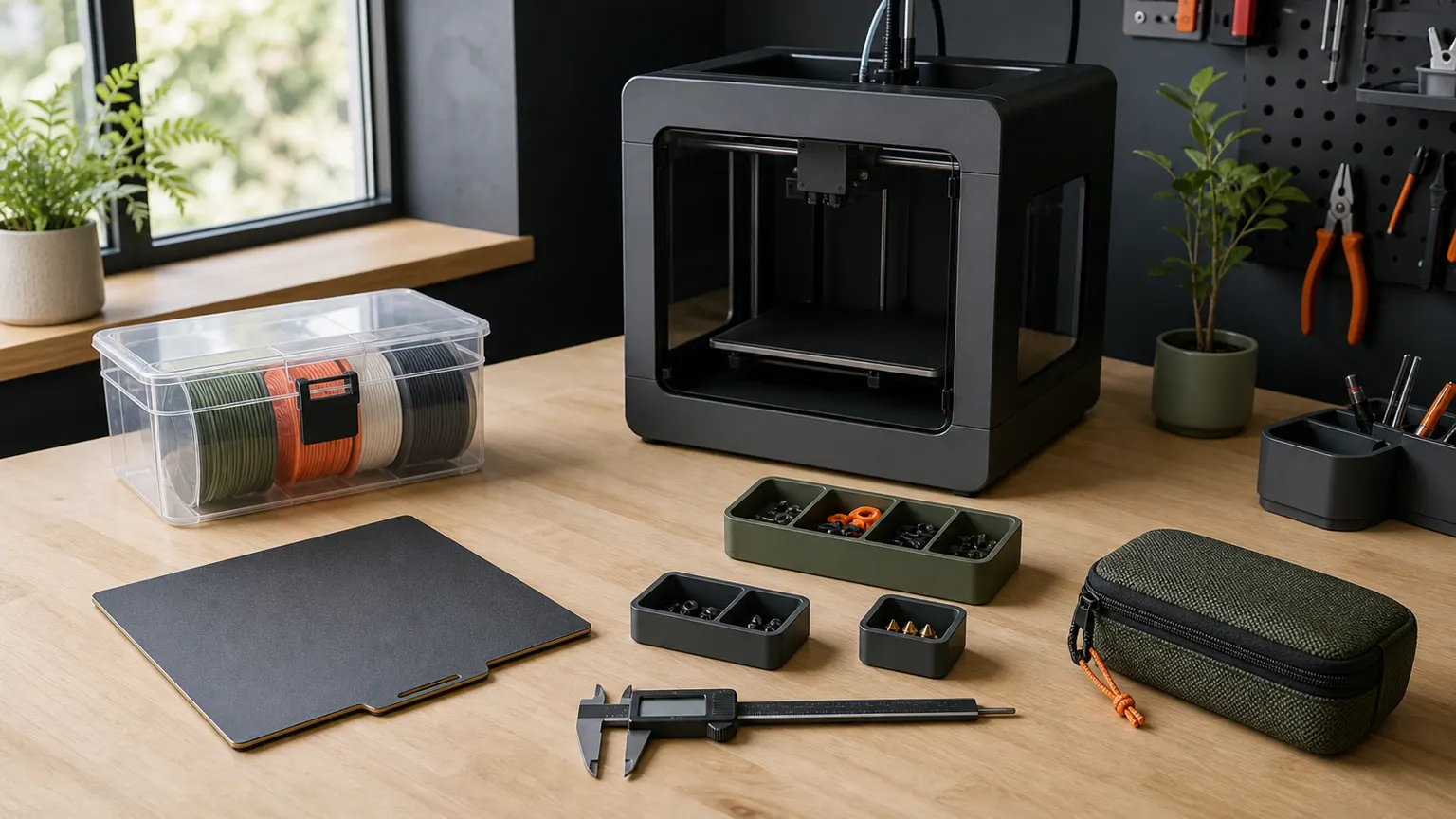
What accessories are needed with a 3D printer?
“Needed” means an accessory prevents a documented failure or unlocks a task your exact printer and material support. Do not improvise on hot or electrical parts.
Three buckets:
- Model-specific replacement and maintenance parts. Build surfaces, nozzles or hotend kits, scrapers, and maintenance pouches sold for a named printer. On 2026-08-01, the Bambu Lab EU accessories category showed a
Printer Modelfilter and separated accessories from spare parts and consumables. It also named items such as aMulti-Size Hotends Kit,Printer Maintenance Kit,Print Finishing Kit, andMag-Alloy Scraper. Those are dated storefront examples only. They are not a claim that every owner needs them. - Printer-agnostic measurement and organization tools. Digital calipers help with part and filament checks. Small bins keep spare nozzles, fasteners, and maintenance parts labeled.
- Optional upgrades with a named problem. An enclosure, extra hotend sizes, or finishing tools come later. Material list, room plan, and maker guidance must agree first. An enclosure is not a casual add-on. See Make At Home’s 3D printer enclosure guide.
If the machine is not chosen yet, start with the budget 3D printer buyer guide or the picker. Accessories cannot fix an unsupported material list or the wrong build volume.
What does every 3D printer need?
There is no evidence-backed single accessories kit that every desktop printer needs. Included tools, plate systems, and maintenance steps differ by machine. A seller label that says “for 3D printers” is not an official fit statement for your model and revision.
Material choice also drives hardware. Prusa’s live Filament Material Guide (checked 2026-08-01) includes labels such as “Printing with enclosure,” “Dry box recommended,” and “Hardened nozzle required.” It states that some filaments contain highly abrasive particles that can damage brass nozzles. It states that some filaments tend to absorb moisture and that a drybox can reduce that. It states that some materials need higher ambient temperature to limit warping, with an enclosure as the preferred approach. Look up your filament family. Then buy only hardware that row marks. Do not infer support from a generic accessories post.
What should you buy first for someone who already has a 3D printer?
For a gift, get the exact model and revision before choosing an accessory. A plate, scraper, or hotend kit for the wrong machine is clutter.
Collect four facts first:
- Exact printer model and revision (not only the brand).
- Build-surface size and surface type already on the machine.
- Materials actually printed, checked against that maker’s material guidance (Prusa-family machines: Filament Material Guide).
- Tools and spares already included.
Useful first purchases after that:
- A second official or officially compatible build surface sized for that printer.
- Manufacturer-listed nozzle or hotend parts for materials in use, filtered on the brand’s compatibility page. The Bambu Lab EU accessories collection (checked 2026-08-01) is one storefront with a
Printer Modelfilter. It keeps accessories separate from spare parts and consumables (Bambu Lab EU accessories). - Manual-named removal or cleaning tools only if the model manual names them and they were not shipped in the box.
- Sealed filament storage and labels when spools sit between jobs. See Make At Home’s filament storage guide. Use maker dry-box notes (such as Prusa’s “Dry box recommended”) as the material trigger.
- Digital calipers and small parts bins for fit checks and loose nozzles or fasteners. No metrology accuracy is claimed here without a cited specification.
Skip mystery upgrade kits. Skip unbranded electrical add-ons. Skip enclosures sold without model and material checks.
How should you separate replacement parts from optional upgrades?
Classify each purchase as a replacement, a bench tool, or an optional upgrade before checkout. This is Make At Home’s editorial checklist, not an industry standard.
- Record the exact printer model/revision and build-surface size from the machine label or official product page.
- Record materials actually used and open that manufacturer’s material guidance for enclosure, dry storage, and nozzle-type flags (example: Prusa Filament Material Guide).
- Check whether the printer already includes the tool or part in the unboxing list or the bag on the shelf.
- For model-specific parts, require the exact model on the official compatibility page or manual before checkout. A third-party title that only says “for Bambu” or “for Prusa” is not enough.
- Buy a replacement before an upgrade when downtime is the named problem. A spare plate or listed nozzle beats a new gadget if the printer is idle because a consumable failed.
- Leave hot-part, blade, and electrical procedures in the manufacturer manual. This article does not reproduce heating temperatures, cable work, or cleaning sequences as general instructions.
Use that method against the table below. Named storefront items are dated examples. They are not stock, performance, or family-wide fit claims.
3D printer accessories decision table
The right category depends on the failure you need to prevent and the compatibility evidence you can verify.
| Category | Named current example or manual evidence | Compatibility check | Reason to buy | Reason to skip |
|---|---|---|---|---|
| Model-specific build surface / plate. | Manufacturer spare plate or flexible sheet for the exact model. Prusa MK4/S and MK3.9/S maintenance docs discuss flexible steel sheet care by sheet type (Prusa MK4/S, MK3.9/S maintenance). | Match plate system, size, and surface type to the printer revision. Follow sheet-type cleaning limits in that model’s docs. | Optional spare surface, or a surface that can be staged for another material workflow named by the maker. | Wrong size, wrong coating, or a generic plate with no model listing. |
| Manufacturer-listed nozzle / hotend replacement. | For example, Multi-Size Hotends Kit was visible on Bambu Lab EU accessories on 2026-08-01. |
Check the exact model on the official filter or parts page. Check the material row in the maker’s guide. Prusa marks some filaments “Hardened nozzle required” because abrasive particles can damage brass nozzles (Filament Material Guide). | You run materials or nozzle sizes the current setup does not cover, or you need a listed spare before a nozzle is unusable. | No model match. Buying sizes or materials you do not run. Treating a seller bundle as official fit. |
| Manual-specified cleaning / removal tools. | For example, Mag-Alloy Scraper and Printer Maintenance Kit were named on Bambu Lab EU accessories on 2026-08-01. For Prusa MK4/S and MK3.9/S only, a small brass brush is listed among useful tools with burn and cable-short cautions (maintenance article). |
The tool appears in the exact model manual or official kit list. The procedure stays in that manual. | The shipped kit is incomplete for the maintenance tasks the manual describes. | Copying another brand’s brush or scraper list. Improvising on hot parts without the model procedure. |
| Sealed filament storage and labeling. | Prusa guide label “Dry box recommended” and tooltip that some filaments absorb moisture and that a drybox can reduce that (Filament Material Guide). Workflow: filament storage guide. | The material row or filament datasheet calls for dry storage. The container seals. Spools are labeled by type and open date. | Spools sit between jobs or the material guidance flags moisture sensitivity. | Buying desiccant theater for materials your guide does not flag, without a storage plan. |
| Digital calipers (bench measurement). | Bench tool. No manufacturer metrology spec claimed here. | None beyond readable jaws and a zero function you trust for comparative checks. | You verify part dimensions or compare filament diameter claims at the bench. | Expecting a calibrated lab instrument without a cited specification. |
| Small bins / trays for spares. | Shop organization. Pairs with official maintenance kits such as the Printer Maintenance Kit example on Bambu’s EU accessories page (2026-08-01). |
Labels match nozzle sizes, fastener types, and printer model. | Labels for nozzle size, fastener type, and printer model. | Empty decorative storage with no inventory habit. |
| Optional enclosure. | Prusa guide: some materials need higher ambient temperature to limit warping. The enclosure is called out as the preferred approach (Filament Material Guide). Decision frame: enclosure guide. | Material list, room plan, and model-specific manufacturer guidance agree. Never assume a third-party box is approved. | A named material and printer combination calls for enclosed printing. | Buying without a material or model trigger. Treating a shell as a ventilation substitute. |
Still choosing the machine? Run the picker before you build the accessories cart →
Which tools are useful on an FDM bench?
Bench tools earn a place when they support measurement, labeling, storage, or a task named in the model manual. They are not required for every printer.
- Digital calipers for part dimensions and filament diameter spot-checks. No accuracy class is claimed without a manufacturer specification.
- Labeled bins or trays for spare nozzles, fasteners, and small maintenance parts.
- Sealed filament storage with labels when spools are idle. Use material-guide dry-storage flags as the trigger (Prusa dry-box note), then a practical workflow such as Make At Home’s filament storage guide.
- Hand tools named in the model manual. If the manual names specific chemistry or lubricant, buy those SKUs. Scoped illustration: Prusa’s MK4/S and MK3.9/S maintenance page mentions hex keys, needle-nose pliers, IPA with paper towels, and Prusa Lubricant for specific parts. It forbids lubricant on trapezoid nuts and Z threaded lead screws (article).
When is an enclosure an accessory purchase?
Buy an enclosure only when the material guidance, model guidance, and room plan agree.
Prusa’s Filament Material Guide treats enclosure use as material-dependent. Some materials need higher ambient temperature to prevent warping. An enclosure is described as the preferred way to achieve that. A high skirt is noted as a partial alternative when no enclosure is available (Filament Material Guide). That is Prusa matrix guidance. It is not permission to box any printer.
Before a third-party shell:
- Confirm the filament family is marked for enclosed printing in the maker’s material docs.
- Confirm the printer maker does not restrict enclosure on that exact model.
- Do not treat a shell as a stand-in for ventilation, filtration, or electrical redesign. Those need separate authoritative sources.
- Use Make At Home’s enclosure guide for the buy/skip frame once manufacturer documents are open.
If the setup is open-frame PLA-only and the manufacturer does not call for an enclosure, buy spares and storage first.
What should you skip until a problem has a name?
Skip any accessory whose model fit, material trigger, or bench purpose you cannot verify.
- Universal accessories kit bundles that never list your exact model and revision.
- Hotend, board, or power changes sold as upgrades without a manufacturer procedure for your revision.
- Extra nozzles and multi-size kits before you know diameters and materials you run. The Bambu
Multi-Size Hotends Kitname on the EU accessories page on 2026-08-01 only shows such kits are sold with model filtering. It does not show that every owner should buy one (source). - Enclosure shopping without a material-row and model check (Prusa enclosure note; enclosure guide).
- Finishing kits and chemicals not named for your plate type (Prusa MK4/S, MK3.9/S sheet cautions).
- Electrical disconnection or hotend cable work outside the model manual. For MK4/S and MK3.9/S only, Prusa warns that brush contact with hotend cables could cause a short circuit and that heated parts can cause severe burns (maintenance article).
FAQ
These short answers keep the buying rule tied to the exact model, material, and manual.
What accessories are needed with a 3D printer?
Those required by your exact printer manual, materials, and downtime risk. The list can include a compatible spare build surface, manufacturer-listed nozzle or hotend parts, manual-named cleaning or removal tools, filament storage, and bench measurement or organization tools. None is a universal requirement for every machine.
What does every 3D printer need?
No single accessories kit is documented as mandatory for every desktop printer. Every owner needs the correct manual, material guidance, and a parts path that lists the exact model. Official model-filtered catalogs show the pattern. See Bambu Lab EU accessories checked on 2026-08-01.
What should you buy for someone who has a 3D printer?
Get the model/revision first. Then gift a second official build surface, a listed spare nozzle or maintenance kit for that model, sealed filament storage, or calipers and labeled bins. Avoid unbranded hotend kits and enclosures without material and model checks.
Is a best accessories kit worth it?
Not as a ranked object. Kits help only when contents map to your official parts list and manual tasks. Prefer model-filtered maker kits over generic bundles for model-specific parts. Dated examples such as Bambu’s Printer Maintenance Kit and Print Finishing Kit (EU accessories, 2026-08-01) show packaging. They are not a cross-brand ranking.
Do abrasive or specialty filaments change the accessories list?
They can. Prusa’s Filament Material Guide states that some filaments contain highly abrasive particles that can damage brass nozzles and provides a “Hardened nozzle required” flag, plus dry-box and enclosure flags (guide). Read the row for the filament you will run.
Where do Reddit accessory threads fit?
Useful for spotting debates. Not useful for compatibility or safety facts. Confirm every part on the maker’s model listing and manual.
Should beginners buy accessories before the printer?
Only after the printer model is fixed. If not, use the budget 3D printer guide or the picker first. Then build spares from that model’s docs.
Close the loop before you checkout
End with a cart in which every item has a model match, a material trigger, or a named bench job. Drop anything that fails official compatibility. Keep heat, blade, and electronics steps in the maker document for that revision.
If the machine choice is still open, match constraints before you browse parts catalogs.
Before buying material-specific parts, see the 3D printer filament types guide.
Written by Tileo, operator of Make At Home.