Material-first buyer guide
Laser engraver for wood: choose from the stock outward
Choose a laser engraver for wood by the exact stock and thickness. Match it to the required engraving or cut, batch throughput, usable work area, and documented enclosure and extraction arrangement. Wood species, plywood adhesive layers, MDF binders, focus, spot size, air assist, and motion settings can change the result. A wattage number alone does not settle the choice. Opt Lasers wood cutter guide. Wood laser work also presents radiation, smoke, fume, and fire hazards. Require controls and supervision for the exact configuration. Opt Lasers safety and extraction guidance.
This is a selection method, not a product podium. The useful question is not “Which machine won?” It is “Which complete setup has evidence for my wood, my parts, and my pace?”
Source review: 18 September 2026.
What laser engraver is best for wood?
The best starting direction follows the recurring job, not the broad label “wood.” Photographs and small text put detail first. Cutting plywood in batches puts more weight on cutting throughput. Opt Lasers identifies focused spot size as important for fine engraving. It names optical output as one factor in cutting throughput and warns that power alone does not determine performance. Opt Lasers selection guide.
Three machine directions deserve a place on the first worksheet. A complete diode machine combines the source and motion platform. A complete CO2 machine is a dedicated option for wood and other supported non-metal materials. A diode upgrade reuses a compatible CNC motion system. Its brief must cover mounting, controller signals, cable routing, extraction, shielding, and offset. Opt Lasers complete-machine and CNC-upgrade comparison.
Do not carry a metal-first category into this decision by habit. The captured manufacturer guide describes fiber and Nd:YAG systems as strong for many metal applications and generally not the first choice for normal wood cutting and engraving. Opt Lasers laser-technology table. If metal is the real job, use the separate laser engraver for metal guide.
Which wood and thickness will you process?
Write the stock as a purchasable material, not as a species name alone. First record whether it is solid wood, veneer, plywood, MDF, or another wood product. Then add the species or face veneer, supplier, grade, finish, and thickness. Include adhesive or binder information when available. Opt Lasers notes that plywood adds adhesive layers. MDF and HDF contain binders that affect fumes, residue, and cutting behavior. Opt Lasers material guidance.
For surface engraving, color and grain belong in the result brief. Ocooch says light-colored wood creates contrast with dark laser marks. It lists alder, basswood, aspen, poplar, hard maple, cherry, and walnut among its engraving options. It also says the best wood depends on the machine, power, and processing speed. Treat those examples as a supplier’s material guidance, not a universal ranking. Ocooch Hardwoods laser wood guide.
Thickness must stay attached to the exact stock. Opt Lasers warns that two plywood sheets sold at the same thickness can behave differently. Veneer quality, glue chemistry, internal voids, moisture, and flatness can all change the result. Its published results are reference tests, not universal presets. Opt Lasers published test notes.
How do output and spot size affect the choice?
Compare optical output, focused spot, beam geometry, focus depth, air-assist arrangement, motion quality, and published tests together. The captured guide states that electrical input and optical output are different quantities. More optical power can increase cutting throughput. It does not automatically produce a narrower kerf, finer engraving, or better results on every material. Opt Lasers specification guidance.
This distinction protects the shortlist from impressive but incomplete numbers. A small focused spot can support engraving detail, while a cutting-oriented head may use a different beam geometry. Ask the manufacturer for the stated optical output and focused-spot specification of the exact module. Then look for a published result on stock that matches your brief. Opt Lasers focused-spot guidance.
A vendor’s headline speed is also configuration-specific. Digital Wood Carver describes one 6 W diode head as a CNC accessory and publishes a wood engraving claim for that product. That page supports a claim about that named head, not about every 6 W machine or your stock. Digital Wood Carver product page.
How much throughput do you need?
Define throughput as finished parts from a named stock and job. Record the batch size and the engraving or cut. Add the part dimensions and acceptable result. Do not turn a maximum travel speed into completed-part capacity. The material, focused spot, and air assist affect cutting results. So do flatness, motion settings, and the required operation. Opt Lasers performance factors.
If simultaneous routing and laser work matters, a laser upgrade on the only CNC can block one process while the other runs. Opt Lasers identifies concurrent routing and laser production as a reason a separate laser may provide more production capacity. Opt Lasers architecture comparison. Put that constraint on the worksheet before comparing modules.
- Name the exact stock, thickness, and required engraving, score, or cut. Opt Lasers material guidance.
- Write the part dimensions and the number of finished parts in the batch.
- Request a published test or supplier answer for comparable stock and the exact configuration. Opt Lasers test guidance.
- Keep reference test settings attached to their named material and machine; do not treat them as universal presets. Opt Lasers test disclaimer.
Which machine direction fits the brief?
Use this table to choose what to investigate, not to approve a machine. Each row describes a direction supported by the captured manufacturer material. The exact product, stock, and configuration still need their own documents.
| Direction | Brief that points here | Evidence to request | Constraint to record |
|---|---|---|---|
| Complete diode machine | Dedicated engraving and supported lighter cutting without an existing CNC platform. Source. | Exact optical output, spot, material tests, usable area, enclosure, and extraction documents. Source. | Complete configuration, not the frame or source alone. Source. |
| Complete CO2 machine | Dedicated production on supported wood and other non-metal materials. Source. | Material tests, usable bed, enclosure, extraction, cooling, optics, maintenance, and support. Source. | Machine footprint and extraction route. Kern describes a blower ducted outdoors or to an optional extraction unit on its systems. Kern. |
| Diode upgrade for a CNC | A compatible CNC already supplies the motion system and work area. Source. | Machine-specific mounting, control, cable, extraction, shielding, and offset information. Source. | Whether routing and laser jobs need to run at the same time. Source. |
How much work area does the job require?
Measure the usable process area against the stock, fixture, and loading plan. For a complete machine, the bed gives the nominal area. For a CNC upgrade, usable travel also depends on mount geometry and laser-to-spindle offset. Mechanical boundaries matter too. Put extraction coverage, clamp clearance, and material loading in the space brief. Add ducting, maintenance access, and operator access. Opt Lasers work-area guidance.
Full-sheet work is a different facility question from small blanks. Kern describes systems that place full wood sheets on a processing bed. A downdraft table holds the sheets. A blower removes fumes and debris. That architecture shows why bed size alone is not the whole setup. Kern wood application page.
- Record the largest stock and finished part dimensions.
- Request the usable X and Y travel, Z clearance, and fixture clearance for the exact configuration. Opt Lasers work-area checklist.
- For a CNC upgrade, record the mount geometry and laser-to-spindle offset. Opt Lasers work-area checklist.
- Include material loading, maintenance access, extraction ducting, and extraction coverage in the layout. Opt Lasers workspace guidance.
What must the enclosure and exhaust plan document?
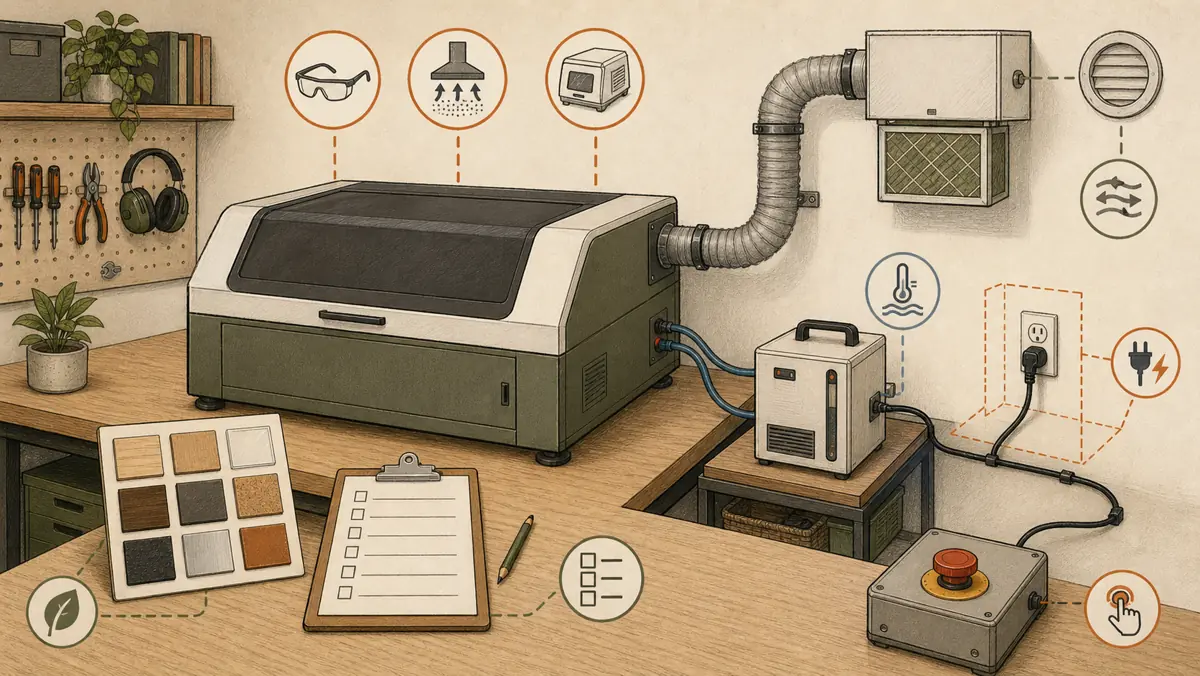
Treat enclosure, extraction, access control, emergency stopping, and supervision as configuration fields, not optional shopping filters. The captured manufacturer guide says wood laser cutting creates laser radiation, smoke, fumes, and a fire hazard. It calls for suitable shielding or enclosure design and extraction. It also calls for controlled access, emergency stopping, and continuous process supervision. Opt Lasers safety and extraction guidance.
Do not reduce extraction to the presence of a port. Ask how the exact machine routes process air. Check what the manufacturer documents for the proposed material. Kern describes one system arrangement in which a blower removes fumes and small debris. The blower ducts them outdoors or to an optional fume extraction unit. Kern wood application page. That example is not a specification for another machine.
Plywood and fiberboard require exact material documentation because their adhesive layers or binders influence fumes and cutting behavior. Opt Lasers material guidance. Keep the supplier identity and product grade on the job card, and do not substitute an unknown sheet for a documented one.
How much does a laser engraver for wood cost?
A current headline price would be misleading here. Compare the complete working system instead. The captured Opt Lasers guide says to budget for the complete configuration rather than the advertised source or machine price. Its cost fields begin with the laser source or machine and mounting hardware. They also include the controller interface, power supply, cables, and air assist. Opt Lasers budget guidance.
Add every item required by the exact manufacturer documentation. This can include enclosure, extraction, cooling, software, maintenance parts, and the service route. The comparison is useful only when each candidate represents a complete configuration for the same job. Do not use the current marketplace prices in the search packet as durable buying facts.
Is it worth buying a laser engraving machine?
It is worth shortlisting only when a repeated job survives the material, capacity, space, and documentation checks. Start with work you can name: the stock, result, part size, batch, and schedule. If a machine’s current documents support that job and the complete workshop configuration fits, the purchase case has evidence. If the case depends on an unknown sheet, a generic wattage claim, or an undefined exhaust route, it remains open.
A router may remain the relevant process when deep pockets, joinery, edge profiles, or thick structural stock dominate. Opt Lasers describes routing and laser work as complementary and identifies lasers with engraving, scoring, detailed sheet patterns, small internal features, and non-contact cutting. Opt Lasers laser-versus-router comparison. Compare that path in the wood CNC machine guide.
What should beginners ask before buying?
Beginners need a cleaner evidence trail, not a different law of physics. Keep each answer tied to the exact model, material, and configuration.
What laser engraver is best for wood?
There is no universal winner. Match the machine to the exact wood or wood product, thickness, engraving or cutting result, throughput, usable work area, and documented enclosure and extraction arrangement. Opt Lasers selection guide.
What is the easiest laser engraver to use for beginners?
Ease starts with a complete documented setup, not a brand name. Compare the manual, material documentation, usable work area, enclosure, extraction, software, maintenance, and support for the exact configuration. Opt Lasers complete-system guidance.
Is it worth buying a laser engraving machine?
It can be worth shortlisting when a repeated wood job fits the documented material capability, work area, and complete workshop setup. If those fields remain unknown, the purchase case remains open.
How much does a laser engraver for wood cost?
A headline machine price is not the complete budget. Compare the full working configuration, including the laser or machine, required mounting and control parts, enclosure, extraction, air assist, software, maintenance, and service. Opt Lasers budget guidance.