Desktop laser cutter: pick the workflow before the model.
A desktop laser cutter fits a small business only after you lock product, materials, and the largest bed piece. Category follows. OneLaser lists CO₂ machines for wood, acrylic, leather, fabrics, rubber, and paper and fiber machines for metals such as stainless steel, aluminum, and brass in its small-business selection context. For a diode machine, check the exact model maker's approved material list. MakerFlo's material table is an xTool F1 example, not proof for the category. CNET finds open-frame lasers too dangerous to recommend for a typical garage and favors enclosed beams. Exhaust is required: OneLaser calls exhaust critical for smoke and fumes on wood, acrylic, or rubber. Write material, bed, enclosure, and exhaust answers before model shopping.
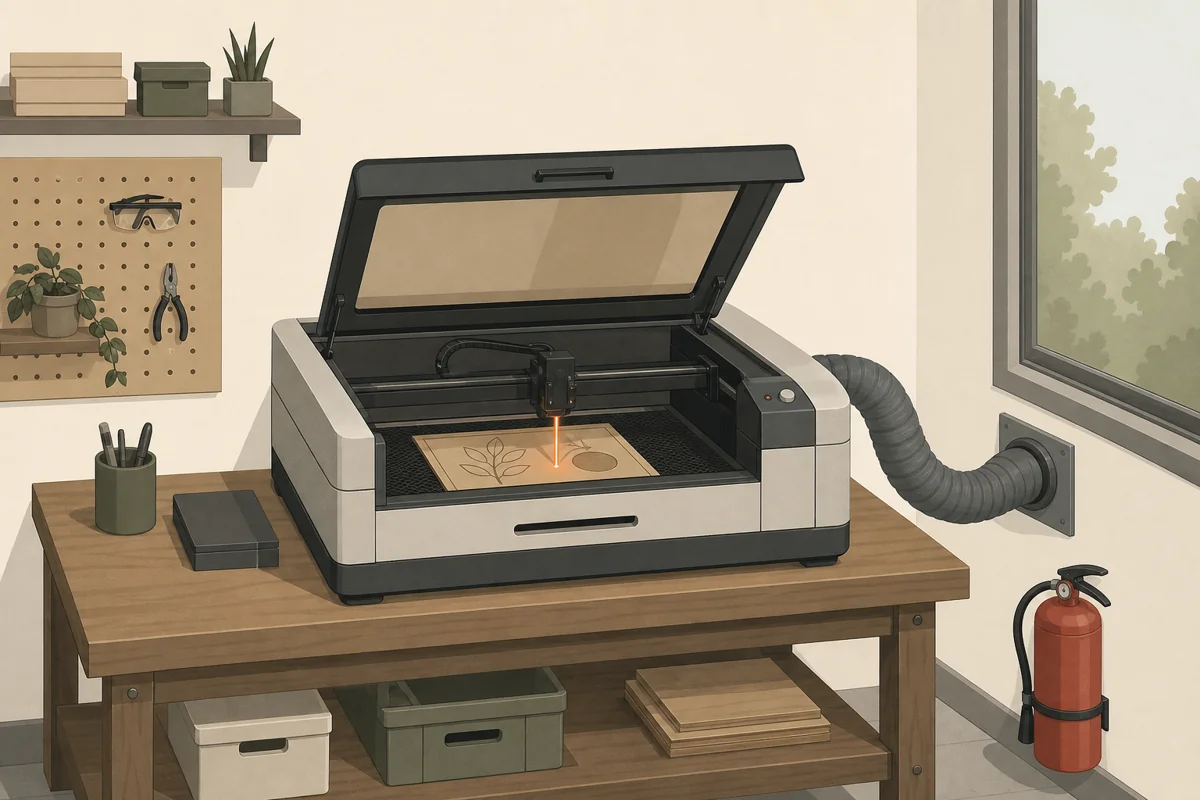
What is the best desktop laser cutter?
There is no universal winner. "Best" means the category that can run your actual jobs without a material dead end. Editorial pages such as Tom's Hardware's 2026 laser guide and CNET's tested laser list compare named models after that filter. Use the map below, then verify each shortlist machine against the maker's material list and bed drawing.
| Intended product / material / envelope | Machine category | Verification question |
|---|---|---|
| A product and material approved for the exact model; pieces that fit its work area | Diode laser engraver / cutter class | Does the exact model maker approve your material and task? MakerFlo's table is specific to the xTool F1. |
| Mixed craft and product work in wood plus acrylic of any color, leather, fabric, paper; sheet blanks | Desktop or small-shop CO₂ laser | Is acrylic (including clear) on the material list, and does the stated work area cover your largest blank? (OneLaser CO₂ material scope; Tom's Hardware notes clear acrylic on a CO₂ example) |
| A metal cutting, marking, or engraving job approved for the exact model | Fiber laser class | Does the maker approve the exact machine for the exact task and material? OneLaser lists fiber machines for metals in its small-business selection context. |
| A job whose required depth, material, turnaround, or engraving needs point to a rotating cutter | Not a laser-first path; compare CNC | Which process fits the depth of cut, material, turnaround, and engraving requirement? (JFD on CNC vs laser) |
If the map points at diode first, read the deeper wattage and enclosure checks in our diode laser engraver guide. If it points at CO2, use the CO2 laser engraver workshop-readiness gate before comparing models. If metal parts need milling rather than marking, see desktop CNC machines for small business.
What should you lock before you open a model page?
Write these answers on paper. They remove whole categories before brand names matter.
- Product list: name the items you will ship or sell, not a vague "crafts" label. Project idea lists such as Treatstock's laser projects you can sell are useful only after you pick which ones are yours.
- Materials: match each product to the exact machine maker's approved material list, not demo reels. OneLaser lists CO₂ machines for common organics and acrylic. MakerFlo's material table applies to the xTool F1. OneLaser lists fiber machines for metals in its small-business selection context.
- Work envelope: measure the largest finished blank, including fixture margins. OneLaser sizes the machine to target product dimensions.
- Enclosure: prefer a closed beam path for shop use. CNET finds open lasers too dangerous to recommend for average garage use and notes an enclosed beam is far less likely to catch material on fire.
- Exhaust path: plan ducting or filtration before delivery. Exhaust is critical for wood, acrylic, or rubber fumes; StyleCNC states toxic fumes need specialized exhaust and ventilation.
- Supervision and fire gear: StyleCNC says never leave a laser unattended and calls for fire procedures; OneLaser lists fire extinguishers among essential safety gear.
- Parts and software: confirm lenses, tubes or diode modules, belts, and controller software stay available. StyleCNC lists CO₂ tubes, mirrors, and lenses as limited-life consumables.
When those answers are stable, match the category in the picker instead of scrolling affiliate roundups first. Run the picker
How much does a small laser cutter cost?
Dollar figures change with bundles, promotions, and stock, so this page does not restate prices. The stable pattern in buyer guides is tiered by laser type: diode entry machines, CO₂ product machines, and fiber metal machines sit in different bands on Tom's Hardware and CNET. Budget for the stack around the head unit as well: exhaust, air assist, spare optics, and blank stock. OneLaser groups exhaust, air assist, safety gear, and a design workstation as essential setup items, not optional add-ons.
After materials and bed size are fixed, open a current editorial shortlist only to compare live listings. Our separate note on best laser cutter for small business framing stays on fit, not a universal ranking.
Are laser cutters expensive to run?
StyleCNC flags CO₂ tubes, mirrors, lenses, nozzles, and related parts as limited-life items with replacement cost. Factor exhaust filters, assist air, and scrap on paid jobs into the same running budget as power.
For a small business, the useful question is not "is it expensive in the abstract?" It is whether your price per finished piece still covers blanks, time, consumables, and rejected runs after you measure a real job. That math is yours; this page will not invent margins.
What cannot be cut with a laser cutter?
This evidence set does not establish one universal prohibited-material list. Never treat a roundup as approval. Use the exact machine manufacturer's approved and prohibited material documentation, and do not run unknown material. StyleCNC publishes a warning about PVC, PTFE, vinyl, polycarbonate, and materials containing chlorine or bromine. That seller's list is not a universal rule.
Machine and task limits still matter:
- StyleCNC states CO₂ lasers are typically used for non-metallic materials and perform poorly on metal beyond thin sheet, so bare metal cutting is the wrong expectation for a craft CO₂ head.
- For fiber equipment, verify the exact machine for the exact cutting, marking, or engraving task and material. OneLaser lists fiber machines for stainless steel, aluminum, and brass in its small-business selection context. Hobby Laser Cutters states that fiber cannot engrave wood or similar materials.
- For diode equipment, check the exact model maker's approved material list. MakerFlo's published material table is an xTool F1 example, not category proof.
- Highly reflective metals such as aluminum, brass, and copper can reflect a beam and damage a generator unless the machine is specified for that work.
When a blank is not on the manufacturer's approved list, do not run it.
What is the most profitable engraving?
No honest page can name a single most profitable engraving without your local demand, your labor rate, and your scrap rate. Those numbers are not in this evidence set, so they stay out of this article.
What you can decide without invented economics:
- Pick products you can finish end to end on the laser class you own (see the workflow table above).
- Favor jobs where personalization or small-batch geometry is the reason a customer pays you, not commodity sheet cutting a factory already owns.
- Price after you time a real run, including design, fixturing, weed or clean-up, and packaging.
- Use external idea lists such as Treatstock's sellable laser project ideas only as prompts, then validate with your own orders.
Makers who already take paid one-offs can route overflow through commissions or test form with prototyping work before buying a machine.
Should I get a CNC or a laser cutter?
JFD Cutting frames the core difference as contact versus non-contact: a CNC router removes material with rotating bits; a laser uses a focused beam of light (heat) with no tool contact. JFD notes lasers can also engrave, which CNC routers cannot do the same way, and it states the right choice depends on depth of cut, material type, turnaround time, and whether you need engraving.
Practical split for a small shop:
- Choose laser when the job is flat profile cutting or surface marking in materials your laser class accepts (CO₂ organics and acrylic; fiber metals).
- Choose CNC when its contact process fits the required depth of cut, material, turnaround, and engraving needs (JFD project-fit guidance).
Buy the one that matches the next paid job, not a hypothetical full catalog. For metal parts that need milling rather than marking, start with the desktop CNC small-business path.
How do you run a laser cutter safely in a small-business space?
Treat safety as part of the production line, not a later accessory.
- Enclosure: CNET does not recommend open lasers for average garage use and notes an enclosed beam is far less likely to ignite material.
- Eyes and skin: StyleCNC warns eyes and skin can suffer laser damage or burns without shielding and laser safety glasses.
- Fumes: StyleCNC states that toxic and hazardous fumes require specialized exhaust and ventilation. OneLaser calls exhaust critical on wood, acrylic, or rubber.
- Material documentation: This evidence set does not establish one universal prohibited-material list. StyleCNC publishes a warning about PVC, PTFE, vinyl, polycarbonate, and materials containing chlorine or bromine. Treat that as the seller's published warning, not a universal rule. Use the exact machine manufacturer's approved and prohibited material documentation, and do not run unknown material.
- Fire watch: never leave a laser unattended; keep extinguishing gear ready per OneLaser's safety-gear list.
- Housekeeping: OneLaser states that a cramped or cluttered setup increases safety risks.
OneLaser notes that home use depends on local zoning plus adequate ventilation and fire measures.
When the workflow, category, and safety path are written down, shortlist machines with the picker. Run the picker
The machine that earns its bench is the one whose materials, bed, enclosure, and exhaust match the products you already know how to sell. Start there, then compare models.
Written by Tileo, operator of Make At Home.