Beginner buyer guide
Best laser engraver for beginners: choose the setup, not an influencer winner
A decision checklist built around the job, the workspace, and physical safety.
Written by Tileo, operator of Make At Home.
What is the short answer?
The best laser engraver for a beginner is not a defensible universal product winner. Choose by the material you intend to process, the work area the job requires, the enclosure and extraction arrangement, and the training and PPE instructions for the exact equipment. OSHA maintains a laser-hazards topic page, and its construction laser rules state that only qualified and trained employees shall install, adjust, and operate laser equipment. Those construction rules are a useful safety discipline, but this guide does not claim that every hobby desktop machine falls under that standard. OSHA: Laser Hazards; OSHA 1926.54(a).
What is the verdict?
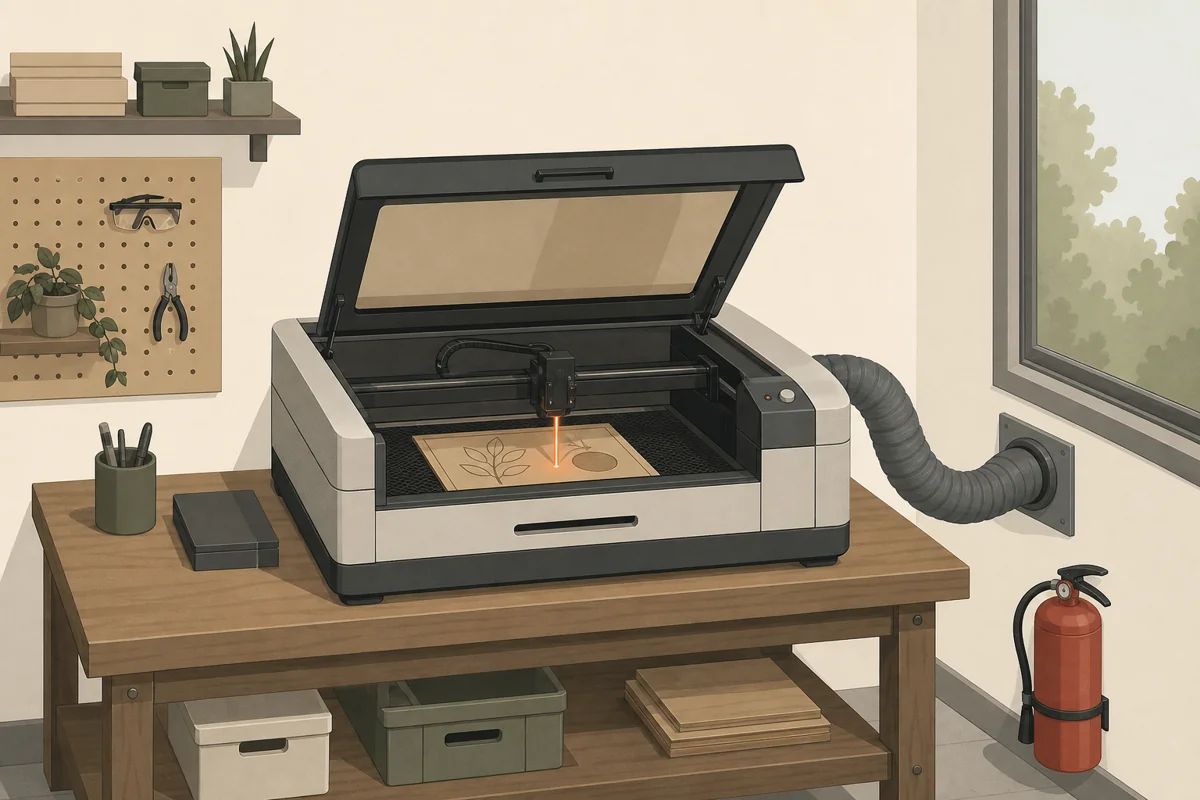
This page does not place a house product at number one. A beginner shortlist starts only after the buyer writes down the material, required work area, enclosure and extraction arrangement, and training and PPE discipline. Use the table to reject options that leave one of those rows unanswered.
How should a beginner use the decision table?
| Criterion | Write down | Request for the exact equipment | Do not shortlist when |
|---|---|---|---|
| Material | The material you intend to process | Documentation that names that material | The material is not documented |
| Work area | The work area required by the job | The stated work area | The requirement does not fit |
| Enclosure and extraction | The complete enclosure and extraction arrangement | The stated enclosure and extraction instructions | The arrangement remains undefined |
| Training and PPE | Who will operate it and which PPE instructions apply | Training and PPE instructions, plus the maximum-output label | The instructions or label cannot be identified |
How do you compare beginner laser engravers without inventing a winner?
A useful comparison starts with the work, not a score. Write down three sample jobs that you would make in the first month. Name the material, its size, and the finish you need. A machine stays on the list only when its own documents cover those jobs. This method may leave several good choices. That is better than forcing one model into first place without a test that supports the claim.
Start with the material list
Use exact material names. “Plastic” is too broad. Clear acrylic, dark acrylic, coated metal, bare metal, leather, plywood, and solid wood can lead to different process choices. Record the thickness as well. Then look for the maker’s guidance for that exact material and thickness. If a seller page shows a finished object but does not name the stock, do not treat the photo as proof of support.
Also list materials that must never enter your workflow. Ask the supplier for a current material guide and keep it near the machine. A beginner setup is easier to manage when the approved stock is narrow and clear. Adding new stock later should be a documented change, not a guess made during a job.
Measure the whole job
The stated work area must fit the part and the way you hold it. Measure the blank before you shop. Allow room for a fixture, a frame, or repeat placement if the job needs one. A pass-through can change the size limit, but only when the exact model supports that workflow. Do not assume that an open side or a removable tray works as a pass-through.
Measure the planned machine space too. Include the enclosure, extraction route, access for cleaning, and room to load stock. A compact frame can still need a larger working zone. Put these dimensions on paper and check them against the manual before paying.
Compare the complete setup
A low machine price does not define a complete beginner setup. Make one list for every required part of the cell. Include the machine, documented enclosure, extraction parts, approved accessories, software terms, and the basic tools named in the instructions. Use the same list for each candidate. This keeps a bare bundle from looking cheaper than a package that already includes required parts.
Check what arrives in the box and what must be bought elsewhere. Ask whether a bundle changes the machine, work area, or instructions. Save the answer and the model number. Similar product names can hide different modules or accessories.
Check the learning path
Look for a manual for the exact model, setup steps, maintenance tasks, and a clear support route. Read those documents before you order. They show whether you can identify the controls, labels, cleaning points, and parts that need routine checks. A polished sales page is not a substitute for operating instructions.
Software matters as well. Confirm the supported file types, computer needs, connection method, and any account or subscription terms. Make one sample design in the planned software before buying if that is possible. This tests the file path without making a claim about machine output.
Use a pass, hold, or reject result
Give each row in the decision table one of three results. Pass means the exact document answers the requirement. Hold means you have asked the maker or seller for missing facts. Reject means the machine or setup does not meet the written need. Do not turn unknown information into a low score. Keep it on hold until there is an answer.
This approach also makes later changes easy to review. If your material, part size, workspace, or software need changes, update that row and run the shortlist again. The best choice can change with the brief. The method stays the same.
Keep the completed sheet with the manual. It gives every operator the same starting point when the setup changes.
Which safety checks stay on the shortlist?
The OSHA Technical Manual chapter covers nonbeam hazards, biological effects, hazard classifications, and control measures, and its appendices reference FDA-CDRH requirements and ANSI. Use it as a safety reference, not as proof that a specific product setup is controlled. OSHA OTM, Section III, Chapter 6.
- “Only qualified and trained employees shall be assigned to install, adjust, and operate laser equipment.” OSHA 1926.54(a).
- “When potential exposure to direct or reflected laser light greater than 0.005 watts (5 milliwatts) exists, antilaser eye protection devices shall be provided as specified in Subpart E.” OSHA 1926.54(c).
- “Areas in which lasers are used shall be posted with standard laser warning placards.” OSHA 1926.54(d).
- “Beam shutters or caps shall be utilized, or the laser turned off, when laser transmission is not actually required.” The same paragraph says the laser shall be turned off when left unattended for a substantial period. OSHA 1926.54(e).
- “The laser beam shall not be directed at employees.” OSHA 1926.54(g).
- “Laser equipment shall bear a label to indicate maximum output.” OSHA 1926.54(i).
How to build the shortlist
- Write the material and required work area.
- Write the enclosure and extraction arrangement.
- Identify the training and PPE instructions for each candidate.
- Keep only candidates with an identifiable maximum-output label. OSHA’s construction laser rule states: “Laser equipment shall bear a label to indicate maximum output.” OSHA 1926.54(i).
For category context, read the diode laser engraver guide and the laser cutters hub. For a business use case, continue to the laser cutter for small business guide. Put the final requirements into the laser buying planner.
What should beginners ask before buying?
What is the best laser engraver for beginners?
This guide does not name a universal product winner. Start with the material, required work area, enclosure and extraction arrangement, then identify the training and PPE instructions for the exact equipment.
Should a beginner choose xTool or Glowforge?
Do not decide from the brand name. Put the exact models through the same material, work-area, enclosure and extraction, training, PPE, labeling, and documentation checks. No brand winner is supported by this packet.
Does a laser enclosure settle the safety decision?
No. Enclosure and extraction are one row in the decision table. Training and PPE remain separate rows. OSHA’s construction rule assigns laser installation, adjustment, and operation to qualified and trained employees. OSHA 1926.54(a).
What safety information should a buyer request?
Request the instructions for the exact equipment, its maximum-output label, and its stated training, enclosure, extraction, and PPE requirements. OSHA’s construction rule says laser equipment shall bear a label indicating maximum output. OSHA 1926.54(i).